Galactic Cruise
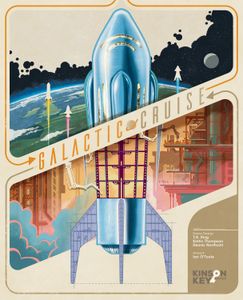
Manage a space-vacation company, connecting departments, building ships, and attracting guests to compete for the next CEO position.
Galactic Cruise supports 1–4 players; community best: 3 players; playing time: 90–150 minutes. A WANGO browser trial has not been confirmed.
Background & introduction
In Galactic Cruise, players supervise different teams within the same space-tourism company. With a new CEO soon to be selected, building ships, satisfying guests, and developing the company all earn victory points.
Worker placement combines with a network of departments. Each location offers two actions, while developments open access to adjacent departments. Borrowing someone else’s connections may cost money, and bumping an opponent’s worker gives that opponent a funding bonus.
Ship segments, an itinerary, guests, and launch resources must come together before liftoff. Launched cruises advance on later turns, with guest preferences, ship amenities, and destination upgrades shaping their returns. Progress cubes also move the company toward annual reviews and the end of the game.
Core rules & scoring
Set up and take turns: Use the player-count rules and introductory or standard layout to prepare departments, technologies, goals, and displays. Each player begins with a starting ship and two workers in their break room. On your turn advance all your cruising ships, choose Assign a Worker, Launch a Ship, or Call a Meeting, then check company goals. Turns proceed clockwise over a variable number of rounds.
Assign workers and use connections: Place a break-room worker at one of six network locations and take up to two accessible actions, in either order and with repeats allowed, completing each before the next. The location’s two actions are always accessible; developments can open adjacent locations. Your connections are free, while borrowed connections require reputation-based payments to every other owner there. You cannot bump your own worker; bumping an opponent returns their worker and grants a funding bonus.
Develop and obtain supplies: Build the leftmost development from a resource row, paying the column cost with money and/or that row’s resource in any combination. Place it in the network or under a technology, increasing that resource’s storage capacity. Gain Resources takes up to three available resources from the silo that you can store. Purchase Supplies offers one money for two resources and one money for two ads, each option once per action.
Use the ship and blueprint displays: Acquire up to two blueprints for free, then slide and refill the display after the action. Build up to two paid blueprints into segments, or pay additional money and reputation to build directly from the display. Normally you may have three ships with three segments each; cockpits and engines are not segments. Acquire New Ship takes a paired cockpit and engine and immediately grants the engine bonus. Two segments form the first cabin; each additional segment adds another cabin. You cannot build into cruising ships or move or replace built segments.
Schedule and advertise: Schedule only one cruise at a time and do not switch it afterward. Scheduling flips an upgrade token and grants its bonus. Advertise for an unscheduled cruise or your own scheduled cruise to attract one or two guests, paying their queue ad cost or four ads from supply. Each guest earns money per destination, plus reputation for a matching destination. A cruise can have at most two presold guests.
Launch countdown: Assign a break-room worker as pilot and choose your scheduled cruise and an available ship with at least one cabin. Board at least one guest, normally one per cabin. Add a progress cube, pay one food per guest plus one for the pilot, one oxygen per segment, and the cruise’s printed fuel cost. Score the cockpit, load the flipped upgrade token, and launch. Each presold guest left behind costs two reputation and goes to the top queue section; last-minute guests still cost ads and give no ticket-sale rewards.
Earn cruise returns: At the start of your turn advance each cruising ship one stop. At destinations you may deliver an upgrade and pay ads to score guests: one ad for a matching guest or two otherwise, earning three VP plus one per upgrade token at that destination. Days in Space grant bonuses for guests and matching segment icons. On returning to Earth, return guests, discard the itinerary, and return the pilot for a funding bonus; the ship becomes available again.
Call meetings and accomplish goals: A meeting recalls all network workers for funding bonuses, leaving pilots in space, then grants one action at a location connected to your own development. You must call a meeting if no worker is available at the start of step two. At turn end, each company goal may be accomplished once, adding a progress cube, revealing a Wings multiplier, and raising its threshold. Launching also adds progress cubes.
Annual reviews and final scoring: When progress sections one and two fill, score your cubes in that section multiplied by revealed Wings; the highest-reputation players, including ties, count one extra virtual cube. Filling section three finishes the current round, then everyone recalls network workers for bonuses, takes one final complete turn, and advances each cruising ship to any one remaining stop. Finally score section three, supplies, reputation, segments, developments, and cockpits, deducting five from an unlaunched cockpit. Most VP wins; ties compare progress cubes, reputation, cockpit VP, then favor later turn order.
Rules & gameplay questions
Does bumping an opponent erase their action?
No. Their completed action remains resolved. The worker returns for future use and immediately grants a funding bonus, so occupied locations are not absolute blocks. Normally you cannot bump your own worker.
Does acquiring a blueprint immediately build a segment?
No. Acquisition is normally free, but building requires paying the printed cost and flipping it into a segment. Building directly from the shared display adds money and reputation costs. Cockpits and engines do not count as segments.
Can I launch without presold guests?
Yes, by spending ads for last-minute guests from the queue or supply, with at least one guest and sufficient cabin space. Last-minute sales give no money or reputation rewards. Each presold guest you leave behind costs two reputation.
Does a meeting recall pilots from space?
No. It recalls network workers only. Pilots continue their cruises. Even with all workers in space you may call a meeting and take an action connected to your own development, but receive no funding bonus for workers you did not recall.
Are solo and two-player games just smaller worker setups?
No. Two-player play adds NPC workers and annual-review procedures. Solo play uses the card-driven opponent Rachel and the applicable player-count rules. This entry explains the core flow; use the solo chapter for Rachel’s replacement actions and scoring rather than applying human resource payments to her.
Rules & introduction sources
- Edition
- For the base game’s standard multiplayer flow. Apply the separate setup and procedures for the introductory layout, two-player NPCs, or solo opponent Rachel. Mode boundaries are summarized; Advancements, Accommodations, and other expansions are excluded.
- Rule references
- Introduction source
- BoardGameGeek
WANGO editorial
| Parameter | Recorded value |
|---|---|
| BGG overall rank (snapshot) | #106 |
| Complexity Weight | 3.98 / 5 |
| Best player count (community) | 3 |
| Player range | 1–4 |
| Playing time (minutes) | 90–150 |
| Core mechanisms | Action Points · Connections · End Game Bonuses · Hand Management · Income · Market · Modular Board · Multi-Use Cards · Open Drafting · Set Collection · Solo / Solitaire Game · Track Movement · Variable Set-up · Victory Points as a Resource · Worker Placement · Worker Placement, Different Worker Types |
| Chinese publication | Unconfirmed |
| WANGO browser play | No confirmed WANGO trial |
| Year published | 2025 |
| Suggested age | 14+ |
BGG statistics are stored snapshots, not live rankings. Source checked:2026-09-27
Player questions
What is the best player count for Galactic Cruise, and can I play online?
Galactic Cruise supports 1–4 players; community best: 3 players; playing time: 90–150 minutes. A WANGO browser trial has not been confirmed. Recorded mechanism tags: Solo / Solitaire Game.
How complex is Galactic Cruise, and which mechanisms does it use?
Weight: 3.98 / 5. Mechanisms: Action Points · Connections · End Game Bonuses · Hand Management · Income · Market · Modular Board · Multi-Use Cards · Open Drafting · Set Collection · Solo / Solitaire Game · Track Movement · Variable Set-up · Victory Points as a Resource · Worker Placement · Worker Placement, Different Worker Types. Chinese publication: Unconfirmed.
Where can I learn Galactic Cruise?
No rule guide, strategy article or WANGO trial has been confirmed for this record.